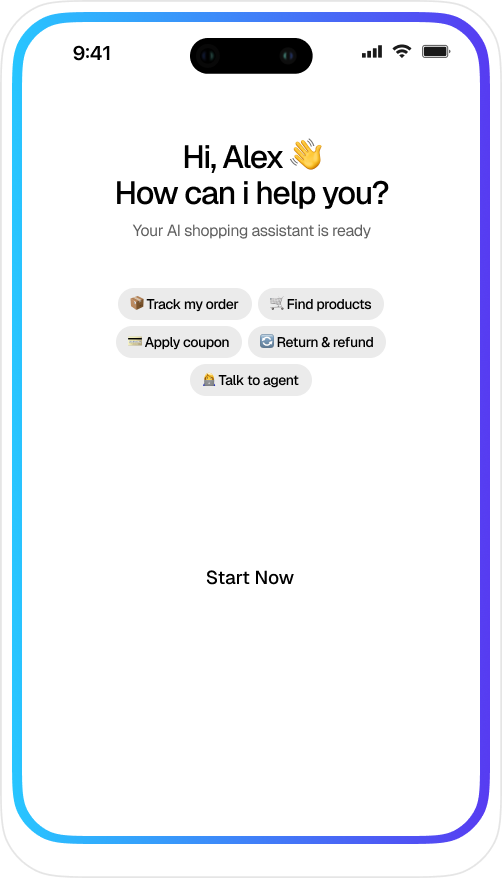
Hi, I am AIMIGA. Customer context is ready. AIMIGA Dialer Business Calls with CRM and AI One dialer, one customer timeline and clear human control. Book Dialer demo See how calls connect Incoming call? AIMIGA can open the customer, recent activity and next actions in seconds. Dialer, queues, customer context, outcomes and controlled follow-up in one workflow. AIMIGA Call Assistant Online – customer context ready Incoming call Open the customer and recent activity before I answer. AIMIGA Call Assistant Customer record found. Here are the three most relevant items. Recent email Reply received yesterday Review the latest thread before continuing the call. Open email Open opportunity Pipeline stage: Proposal See value, owner, decision date and agreed next step. Open CRM Planned meeting Meeting: Thursday Agenda, attendees and customer context are ready. Open CRM Open the opportunity and prepare call notes. Ask AIMIGA about this customer… Connected Call Workflows Every Business Call Deserves the Right Context Move from call preparation to outcome and follow-up without losing the customer history. Inbound Call Context Click-to-Call Call Queues Callbacks AI Summary Human Follow-up Inbound Call Context Prepare the customer record, recent communication and open actions before an incoming call is answered. Book demo Open the customer for this incoming call. AIMIGA Call Assistant Customer record, recent activity and open actions are ready. Click-to-Call from CRM Start a call from the customer record and keep ownership, opportunity and activity context visible. Book demo Call this customer from the open opportunity. AIMIGA Call Assistant The number, opportunity owner and latest activity are ready. Call Queues and Ownership Route incoming calls to the right team and keep queue status and responsibility visible. Book demo Who owns the next call in this queue? AIMIGA Call Assistant The responsible team and current queue status are visible. Callbacks and Call Outcomes Record the outcome, assign a callback and keep the next action on the customer timeline. Book demo Create a callback for tomorrow morning. AIMIGA Call Assistant Choose the responsible owner and confirm the callback time. Assign to the account owner. AIMIGA Call Assistant Callback prepared and attached to the customer record. AI Call Summary Prepare a concise call summary, decisions and proposed next actions for human review. Book demo Summarize this call and prepare the next steps. AIMIGA Call Assistant Summary prepared. Review the decisions and proposed actions. Assign the follow-up to me. AIMIGA Call Assistant The follow-up is ready for your approval. English Español Français Deutsch Italiano Português Svenska Dansk Norsk Suomi 日本語 한국어 हिन्दी العربية العربية (الإمارات) Crnogorski 中文 Human Follow-up Hand work to the right person with the full call context, owner and required next action. Book demo A person needs to review this customer request. AIMIGA Call Assistant I can route it with the call summary and customer history attached. Smart Conversations One call flow from dial to next step Use queues, click-to-call, outcomes, callbacks and CRM updates without leaving the customer workspace. Caller Preparation Open the customer, history and current opportunity before answering. Built-in Dialer Start calls from a customer, company or opportunity record. Queues and Ownership Route calls with visible queue status and ownership. Outcomes and Callbacks Route incoming work to the right team with visible status and responsibility. 1 Call activity Call Reporting Summarize relevant history before the call and prepare a controlled follow-up afterward. AI Summary and Follow-up Keep outcomes, notes and next actions attached to the customer timeline. Français 日本語 Hindī Français 日本語 Hindī Français 日本語 Hindī Français 日本語 Hindī 한국어 English Deutsch Español 한국어 English Deutsch Español 한국어 English Deutsch Español Connected Process From Incoming Call to Completed Follow-up Step 1: Define numbers and teams Define company numbers, teams and responsible owners.Confirm access and call-routing requirements. Step 2: Connect CRM and communication Connect approved CRM and communication services.Choose where call activity and outcomes are recorded. Step 3: Configure queues and outcomes Set queue rules, ownership and escalation paths.Define outcomes, callbacks and follow-up responsibilities. Step 4: Review reporting and follow-up Review call activity, summaries and open actions.Keep final decisions and execution under human control. Designed for connected call work Clear Context Before the Call Customer context before the call. Controlled follow-up after it. Dialer connected to CRM AIMIGA Dialer workflow 1 Prepare Relevant customer context before the conversation. 1 Connect Outcome and ownership attached to the CRM timeline. 1 Follow up Reviewable summary, callback and next action after the call. Pricing Plans AIMIGA Dialer configured for your team Core scope Foundation Scoped after review Focused scope for a controlled first rollout. Built-in dialer Start and receive calls in context. Queues and ownership Visible routing, queue state and owners. CRM call context Open the right customer before the call. Outcomes and callbacks Record results and responsible follow-up. Book demo Recommended Connected Scoped after review Connected modules for teams sharing customer context. Built-in dialer Start and receive calls in context. Queues and ownership Visible routing, queue state and owners. CRM call context Open the right customer before the call. Outcomes and callbacks Record results and responsible follow-up. AI summaries and follow-up Prepare notes and next steps for review. Book demo Foundation Scoped after review Focused scope for a controlled first rollout. Built-in dialer Start and receive calls in context. Queues and ownership Visible routing, queue state and owners. CRM call context Open the right customer before the call. Outcomes and callbacks Record results and responsible follow-up. Book demo Recommended Connected Scoped after review Connected modules for teams sharing customer context. Built-in dialer Start and receive calls in context. Queues and ownership Visible routing, queue state and owners. CRM call context Open the right customer before the call. Outcomes and callbacks Record results and responsible follow-up. AI summaries and follow-up Prepare notes and next steps for review. Book demo Got Questions? Questions about AIMIGA Dialer 1. Is the dialer connected to CRM? Calls can start from customer records and outcomes can be stored on the same timeline. 2. Can AIMIGA prepare call follow-up? AIMIGA can prepare summaries, notes and next steps for review after a call. 3. Can teams use queues and callbacks? Queue, ownership and callback workflows are included in the telephony scope discussion. 4. Can incoming calls open the right customer? The agreed setup can use caller information to surface the relevant customer record, recent activity and open actions. 5. How are call outcomes recorded? Outcomes, notes, callbacks and responsible next steps can remain attached to the customer timeline. 6. Does a person approve AI-prepared call work? Summaries and follow-up can remain reviewable, with permissions and approval rules defined for the team.